
Gyanlab
Case study by Vishal Sahani
Bringing class-wise study notes and video learning into one focused student experience.
- Next.js
- Google Drive API
- YouTube Data API
- Tailwind CSS
The starting point
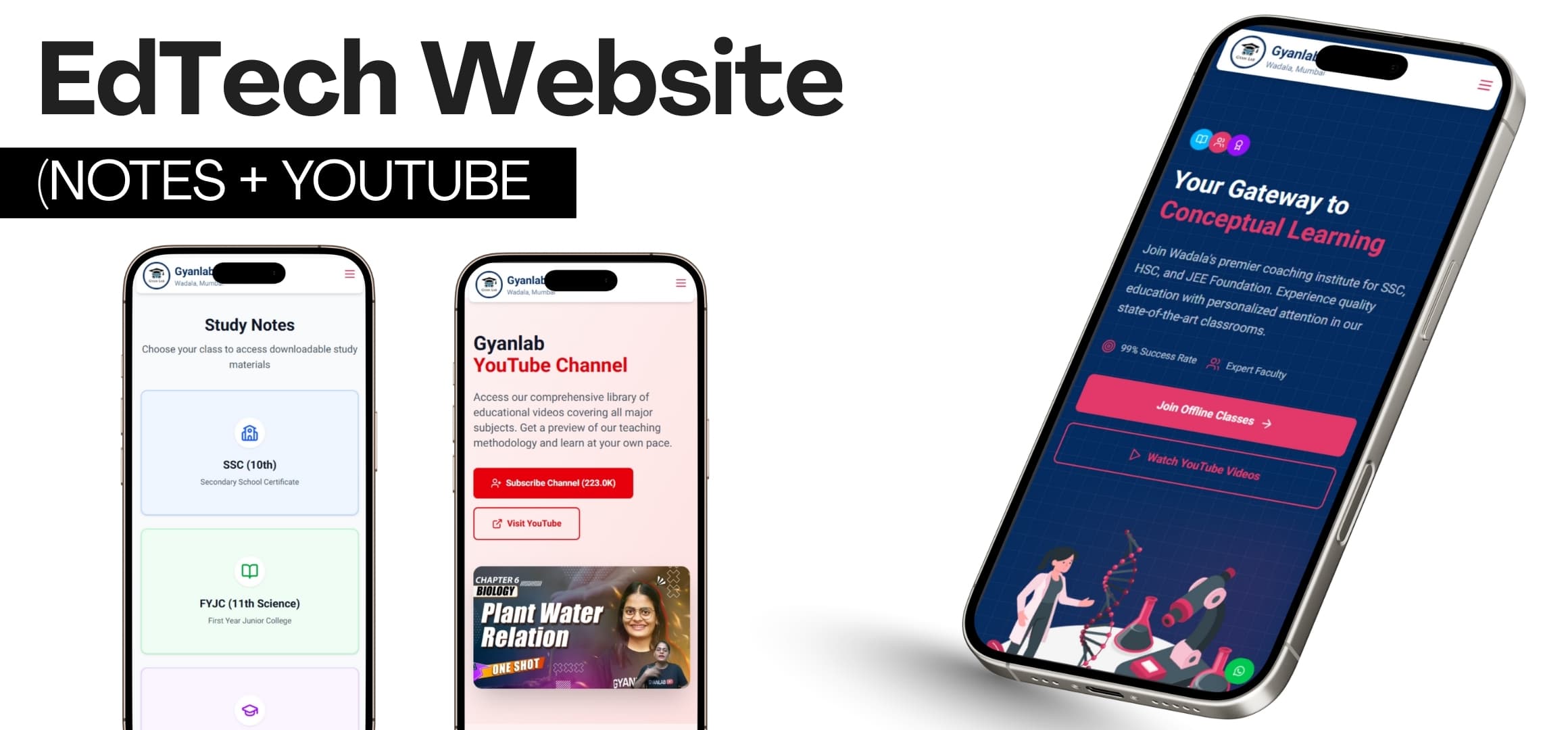
Gyanlab is a student learning website that brings class-wise notes and educational videos into one place. The starting point is the student's learning context: material needs to be relevant to their class, easy to reach, and comfortable to read on the device they have at hand.
Notes and video serve different needs within that experience. Written material supports reading and revision, while a video can offer another explanation of a concept. Keeping both available gives the website a clear purpose beyond simply listing resources.
Notes that stay easy to manage
The Google Drive API connects the website to class-wise study notes. Learning content can be updated without redeploying the application, separating changes to the material from changes to the website itself. This matters because the notes are the resource students come to use, not a fixed part of the interface.
Class-wise organization gives those resources a consistent structure. Students can approach the material through their class, while the website presents the connected notes within its learning experience rather than treating content maintenance as an application release.
Video learning, connected
Educational videos are dynamically fetched and displayed through the YouTube Data API. Video learning sits alongside the notes in the same website, bringing two forms of explanation into a connected browsing experience instead of making the product exclusively a notes library or a video page.
The learning rationale is conceptual clarity. Reading and watching can provide different ways to engage with a topic; making both resources available supports that choice without assuming every student needs the same format for every concept.
An interface for learning
The mobile-first interface prioritizes readability and clear, quick navigation. On smaller screens, the route to useful material matters as much as the material itself: students need to understand where they are and reach the notes or videos without navigating around unnecessary interface elements.
The design emphasis stays on learning content. A restrained presentation leaves room for reading, while straightforward navigation supports moving through the available resources. Together, these choices keep the class-wise structure and connected video learning understandable in everyday use.
- Organize notes by class.
- Keep reading comfortable on mobile.
- Make notes and videos easy to reach.